October 13, 2026
Free forever: how Hark's pricing works, and why
Recording, transcription and speaker names in Hark are free with no limits. Hark Pro is $12/month, and your first 3 meetings get it free. Here is why.
Updated October 30, 2026 (Hark 1.2.0): Hark now has a free plan and Hark Pro. A few features that run on your computer (Enhance voices, projects and stats, Word/PDF/subtitle exports and searching every meeting) moved to Pro, and the 2-day preview was replaced by something we think works better: your first 3 recorded meetings and 1 imported recording get every Pro feature, free, for good. This post describes the new plans.
Pricing for software is often confusing on purpose: free plans that stop working after a few meetings, tiers that hide the one feature you need, and trials that ask for a card up front. We wanted Hark’s pricing to be simple enough to explain in a couple of sentences:
Recording, transcription and telling speakers apart are free forever, with no limits. Hark Pro, $12 a month, adds AI, sync and the power tools, and your first 3 meetings get Pro free.
The rest of this post explains what falls on each side of that line, and why.
What’s free, with no limits
Hark’s free version is a complete meeting recorder, not a cut-down demo. It includes:
- Unlimited recording of your microphone and computer audio, in any meeting app, with no bot.
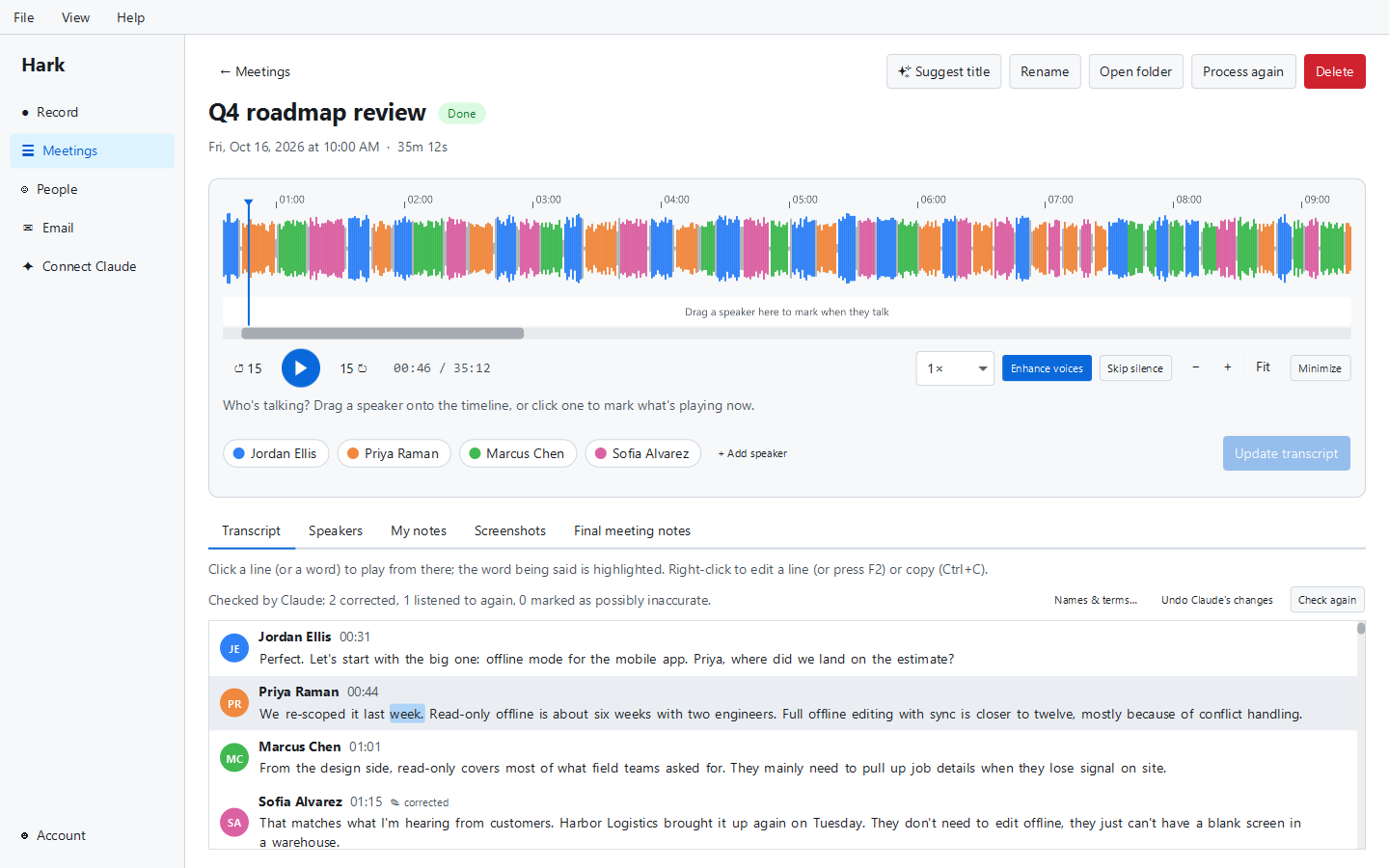
- Unlimited transcription on your computer, live during meetings and in full afterwards.
- Who said what: Hark tells the speakers apart in every meeting and you name them in a click, or mark who’s talking live during the meeting. Optionally, with their own signed consent, it recognises you and people you add.
- Echo removal, so a meeting you hear on speakers is recorded cleanly.
- The meeting player, with faster playback that keeps voices natural and silence skipping.
- Your own notes in a formatted editor, during and after meetings, plus the task board.
- Editing, export and import: fix any transcript line, export transcripts and notes as text or Markdown, and import recordings from your phone or other apps.
- Screenshots during meetings (on Windows, with keyboard shortcuts from any app).
- The Claude Desktop and Claude Code connection (MCP), so the Claude subscription you may already have can read and work with your meetings.
There are no minute caps, no meeting limits and no time limit. The only requirement is a free account: you sign in with a code sent to your email address. We don’t ask for a card.
Why the core can be free
When Hark transcribes a meeting, the work happens on your computer’s processor. When it tells the voices apart, that happens on your computer too. Your recordings are stored on your disk. None of that costs us anything per meeting.
Most meeting note takers transcribe in the cloud, which means every minute of audio has a real cost for them: servers, processing and storage. That cost is why free plans elsewhere tend to come with monthly limits. Because Hark does that work locally, recording and transcription stay free and unlimited.
(There is more on the local approach, and its trade-offs, in why Hark transcribes on your computer.)
What Hark Pro adds
Hark Pro is $12 a month and you can cancel any time.
AI features, powered by Claude
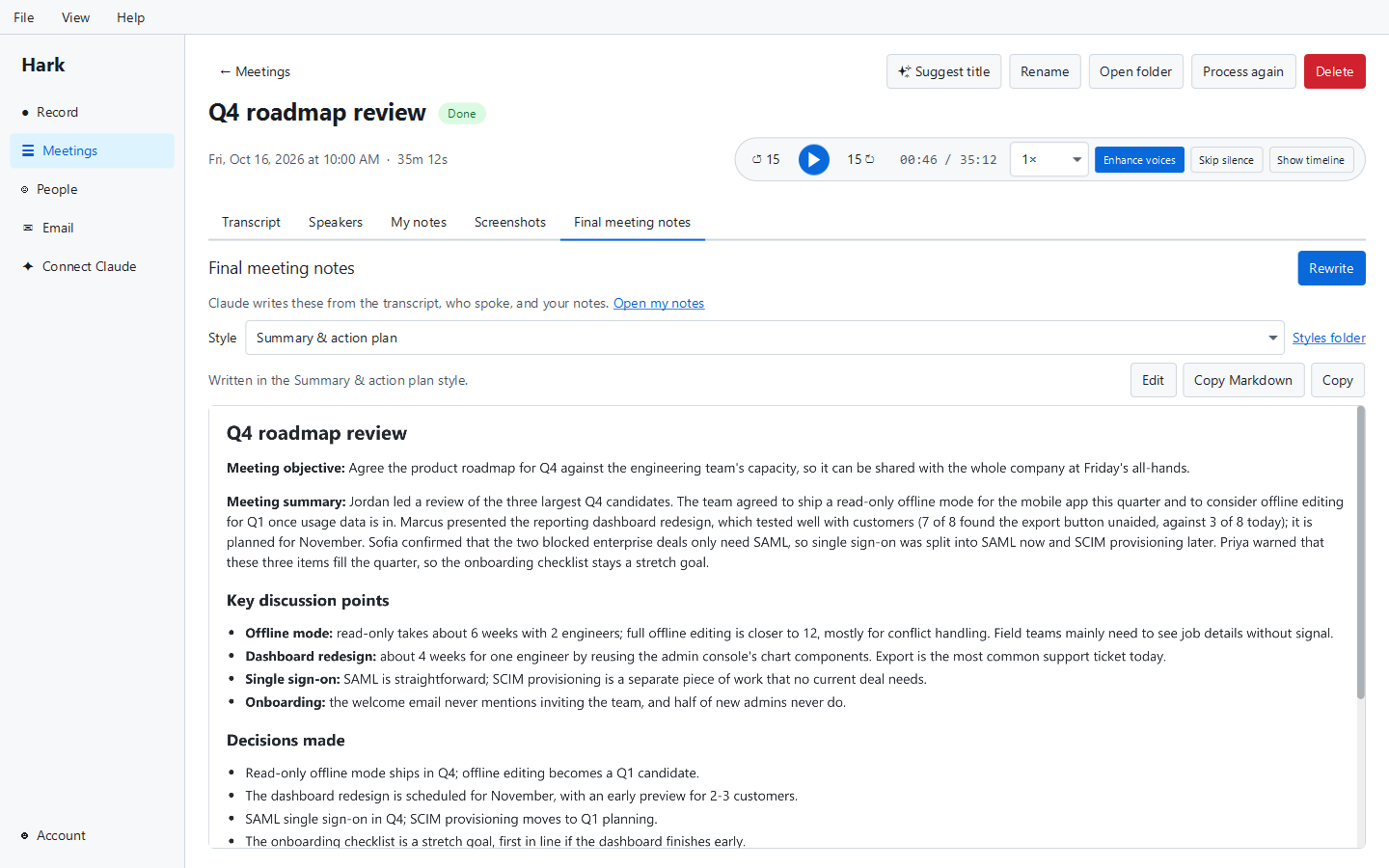
- AI meeting notes written by Claude (made by Anthropic) in a choice of styles, plus any style files of your own.
- Automatic meeting titles, so your meetings list isn’t a column of dates.
- Live notes and questions during a meeting (live notes are off by default and run only while the panel is visible).
- Transcript proofreading against your “Names & terms” list, which fixes misheard names and jargon. Every change can be undone, and your own edits are never touched.
- Screenshot names and descriptions, so screenshots are labelled by what they show.
These features send your transcript text, not your audio, to Claude through our service. Every request costs us money, charged by the AI provider for the text it reads and writes.
Sync and online backup
Optional sync keeps your meeting transcripts, notes, screenshots, AI meeting notes, task board and settings in step across up to five computers, and doubles as an online backup. It is end-to-end encrypted: only your own computers have the key, so we can’t read what you sync. Recordings, voice data and email are never synced.
The power tools
- Enhance voices: removes background noise and evens out quiet speakers when you play a meeting back.
- Projects and personal stats on the dashboard.
- Word, PDF and subtitle (SRT/VTT) exports.
- Search every meeting: find anything anyone said, in every meeting you’ve recorded.
Your first 3 meetings are Pro
New accounts don’t get a countdown. Instead, your first 3 recorded meetings and your first imported recording get every Pro feature, free, and those meetings keep them for good. Until the 3 recorded meetings are used, search, projects and stats are on too. (Sync comes with the subscription.)
We changed this from a 2-day preview because a lot of people didn’t have a meeting in their first two days, so they never saw what Claude’s notes look like on their own meetings. Counting meetings instead of days means everyone gets to try it on real calls. No card needed.
When your Pro meetings are used up, the free plan keeps working with no limits, and your meetings, transcripts, people and notes stay exactly where they are.
Using your own Claude subscription instead
If you already pay for Claude, you may not need our subscription at all. Hark’s local MCP server lets Claude Desktop or Claude Code read your meetings, transcripts and people, so you can ask your own Claude to write notes or answer questions about a meeting. That connection is part of the free version. It runs under your Claude plan, not ours. We explain how in using Claude with your meeting transcripts, and the Claude meeting notes page has more detail.
Summary
| Free | Hark Pro | |
|---|---|---|
| Price | $0, forever | $12/month, cancel any time |
| Recording, transcription, telling speakers apart, live speaker marking | Unlimited | Unlimited |
| Editing, notes, task board, text/Markdown export, import | Yes | Yes |
| Claude Desktop / Claude Code connection | Yes | Yes |
| AI meeting notes, titles, proofreading, live notes | First 3 meetings | Yes |
| Enhance voices, Word/PDF/subtitle exports | First 3 meetings | Yes |
| Search every meeting, projects and stats | Until your first 3 meetings are used | Yes |
| Sync and online backup across up to 5 computers | No | Yes |
| Account | Free, email code, no card | Same account |
We don’t offer annual plans, team plans or discounts today. If that changes, we’ll say so on the store page.
Questions we expect
Will the free version get worse later? Recording, transcription and telling speakers apart stay free with no limits. In 1.2.0 we did move a few local extras (Enhance voices, projects and stats, Word/PDF exports and searching every meeting) into Pro, and we’re telling you here rather than doing it quietly.
Do I need an account for the free version? Yes, a free one, created with a code sent to your email. No card.
What happens to my data if I cancel? Everything on your computer stays. Pro features and sync stop.
Is any of my data used to train AI? No. Hark doesn’t train AI on your meetings.
Get Hark
Hark runs on Windows, macOS and Linux. Download it from the store, or read more on the Hark page. If you’re comparing options, our list of the best free AI note takers covers others too.
