October 11, 2026 · Updated October 29, 2026
Why Hark transcribes on your computer, not in the cloud
The case for on-device transcription: privacy, working offline and no per-minute costs, plus the honest trade-offs of download size, English only and hardware.
When we started building Hark, the biggest decision was where the speech recognition should run. Most meeting tools send audio to a server and transcribe it there. We chose to do it on your computer. This post explains why, and it is just as clear about what that choice costs you, because on-device transcription has real trade-offs.
What “on-device” means in Hark
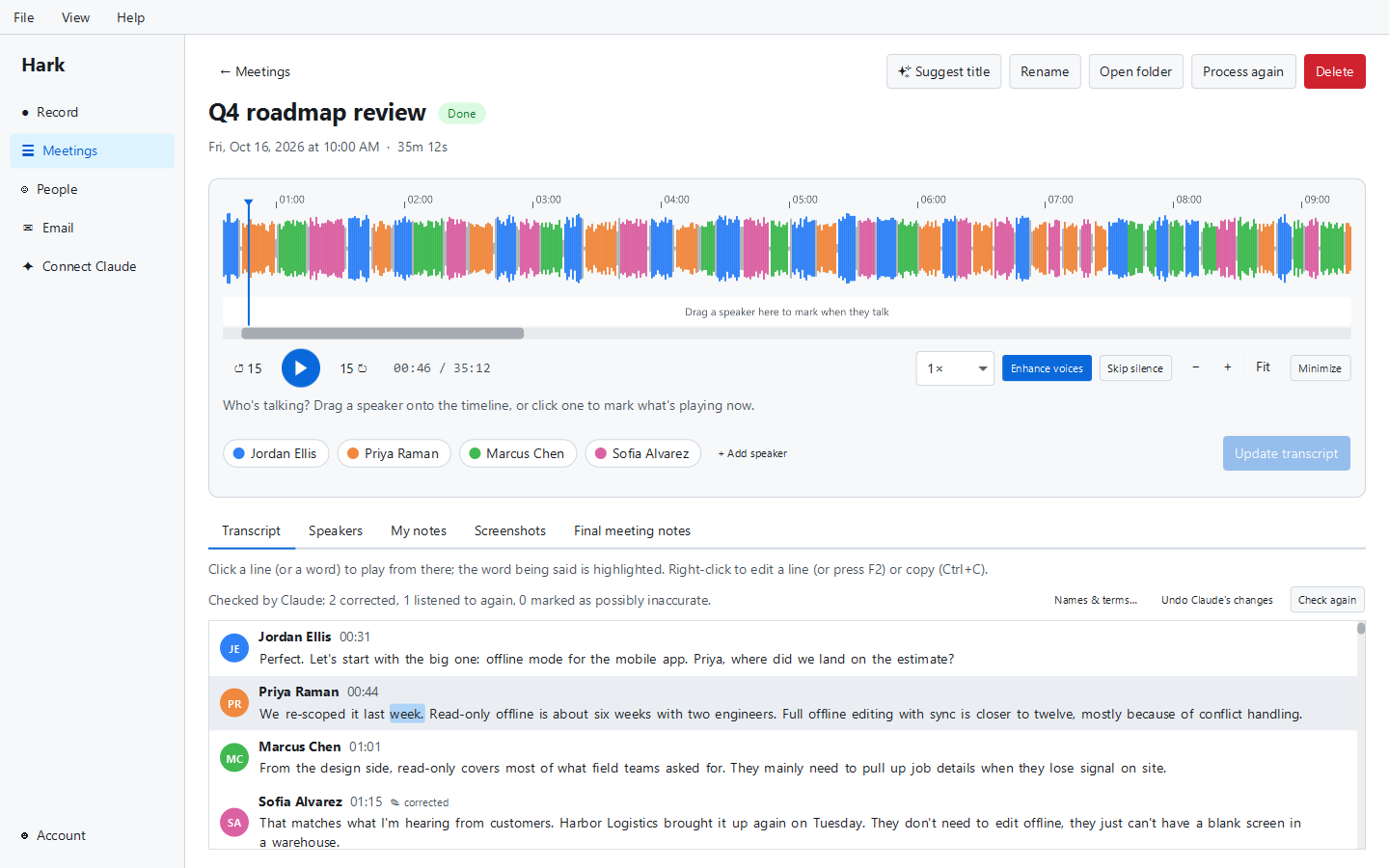
When you record a meeting or import a file, Hark turns speech into text using an NVIDIA Parakeet speech recognition model running locally (through an open-source library called sherpa-onnx). The audio is not uploaded to be transcribed. The same goes for working out who spoke: the voices are told apart on your computer, too, and Hark discards that analysis once the meeting is processed. If you let Hark recognise your own voice, that stays encrypted on your computer and is never uploaded.
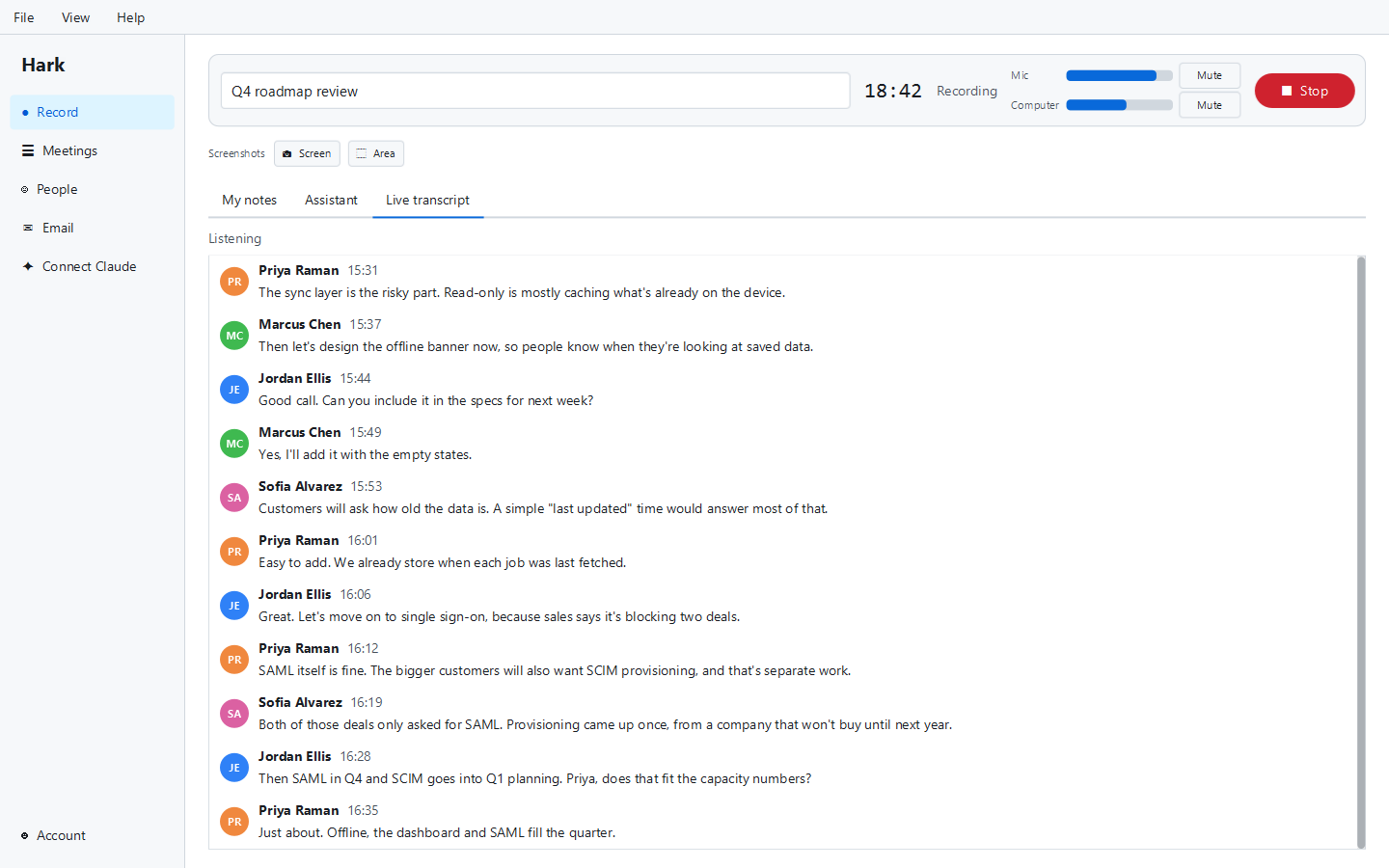
This happens twice. During the meeting, Hark cuts the audio at natural pauses and transcribes each piece within a few seconds, so you can follow a live transcript. After the meeting ends, it goes over the whole recording again more carefully and produces the final transcript, with each word timed so playback can highlight what’s being said.
One important exception: Hark’s optional AI features, such as meeting notes written by Claude, send your transcript text to Claude through our service. Those features are not on-device, and we don’t describe them that way. Transcription and telling speakers apart are.
The case for on-device transcription
1. Privacy by default
A meeting recording is one of the most sensitive files most people create. It holds people’s voices, opinions, plans, numbers and, sometimes, things that were said only because the speaker assumed the room was private.
When transcription happens on a server, that recording has to leave your computer, be stored at least briefly by someone else, and be handled under their security practices and retention policies. Those can be perfectly good. But the safest copy of a file is one that was never sent anywhere.
With Hark, recordings never leave your computer, and neither does anything about your voice. Transcripts and notes stay there too, unless you choose to turn on sync, which is end-to-end encrypted: only your own computers have the key. If you only use the free features, Hark sends nothing about your meetings anywhere. We also don’t train AI on your meetings.
That makes conversations easier to have. You don’t need to check a vendor’s data processing terms before recording a call with a client, and you don’t need to wonder where a voice profile of a colleague is stored.
2. It works offline
After the speech models are downloaded once, transcription needs no internet connection. You can record a meeting on a plane, in a building with poor Wi-Fi, or on a network that blocks unfamiliar services, and the transcript is just as good. Importing an old recording and transcribing it works the same way.
3. No per-minute costs, so no minute caps
Cloud transcription costs the provider money for every minute of audio processed. That is why cloud note takers so often cap free plans at a number of minutes or meetings per month.
When the work happens on your computer, it costs us nothing per meeting. That is the main reason Hark’s recording, transcription and speaker labels are free with no usage limits. You can record every meeting, import a backlog of lectures or interviews, and reprocess a meeting after fixing speaker marks, without watching a counter. We explain the rest of our pricing in free forever: how Hark’s pricing works.
4. No bot, no gatekeeping
Because Hark records your computer’s audio rather than joining your call through the meeting platform, it doesn’t need a bot, an admin to approve an integration, or a particular meeting app. That isn’t strictly about local transcription, but the two go together: a tool that records and processes locally doesn’t need to be in the meeting at all. We wrote more about that in meeting bots are awkward.
The honest trade-offs
On-device transcription isn’t free of costs. It moves them from a data centre to your computer. Here is what that means in practice.
A large one-time download
The speech models Hark uses add up to about 730 MB. They download the first time you need them, not with the installer, so the first transcription has to wait for that download. After that, they’re stored in Hark’s data folder and reused. If you’re on a slow or metered connection, plan for that first download.
English only, for now
The model Hark uses for transcription is an English model. Hark does not transcribe other languages today. If your meetings are in another language, or switch between languages, Hark isn’t the right tool yet, and a cloud service with broad language support will serve you better.
Your computer does the work
Transcription and telling speakers apart use your processor. On a modern laptop that’s comfortable, but it isn’t free: processing a long meeting after it ends takes some time and some battery, and an older or slower machine takes longer. Live transcription during a meeting also adds load while you’re on the call. A server farm will always have more raw power than your laptop; the trade is that it isn’t your laptop.
Accuracy depends on the audio
This is true of every transcription system, local or cloud. Clear audio from a decent microphone gives much better results than a laptop mic in an echoey room. Crosstalk, heavy accents and specialised vocabulary all make mistakes more likely. Hark helps in a few ways: it records your microphone and the computer’s audio as separate tracks, you can edit any line (your edits are never overwritten), and with a subscription Claude can proofread the transcript against your list of names and terms. But no software turns a bad recording into a perfect transcript.
Older Macs only get the microphone
This one is specific to Hark. On a Mac, recording the computer’s audio (the other side of a call) needs macOS 14.2 or later, and macOS asks once for permission. On older Macs, Hark records the microphone only, so the other side of a call is only captured if it plays through your speakers and into the mic. On Windows and Linux, Hark records both sides directly.
Who should choose on-device transcription
On-device transcription is a good fit if:
- You record conversations with clients, patients, candidates or anyone whose words you’d rather not hand to a third party.
- You want unlimited transcription without a monthly minute cap.
- You sometimes work without a reliable internet connection.
- Your meetings are in English and your computer is reasonably modern.
A cloud service may suit you better if your meetings are in other languages, you need to share recordings with a team in a web workspace, or you’d rather not install desktop software.
For a broader look at the options, see our guide to local AI transcription, and the checklist in choosing software that respects your data.
A reminder about consent
Recording locally doesn’t change the rules about recording people. Some places require everyone in a conversation to agree before it is recorded. Tell people at the start of a meeting that you’re recording, and check the recording consent laws that apply to you.
Try it yourself
Hark is free for Windows, macOS and Linux. Recording, unlimited transcription and telling speakers apart stay free. Learn more on the Hark page or download Hark.
